 QuickMem
How QuickMem works: the Helper writes the cards, spaced repetition schedules them
Making cards is the part that stops people. QuickMem's Helper writes them from a description, a pasted syllabus or a PDF — and then hands them to you to approve, one at a time, before a single one is saved.
1. Tell the Helper what you want
Open the Helper tab, pick the deck, and say it in your own words: "20 cards on Spanish animals", "the key dates from this chapter", "definitions from my lecture notes". The Helper writes the cards and shows them to you as a batch you can read through.
There are nine skills. Seven of them run on our servers and need a connection:
- Create flashcards from a description.
- Import from text — paste notes or a syllabus, or pick a file.
- Ask for changes to the batch you are looking at.
- Explain a card you keep missing.
- Split a card into the separate things it is testing.
- Make a mnemonic, and save it as the card's hint.
- Tidy a card — typos and wording, not meaning.
Two more run entirely on your phone, with nothing sent anywhere: Find duplicates, which spots cards across your decks that ask the same thing, and Study plan, which reads your own review queue and tells you how to spend ten minutes on it.
2. Read the cards before they save
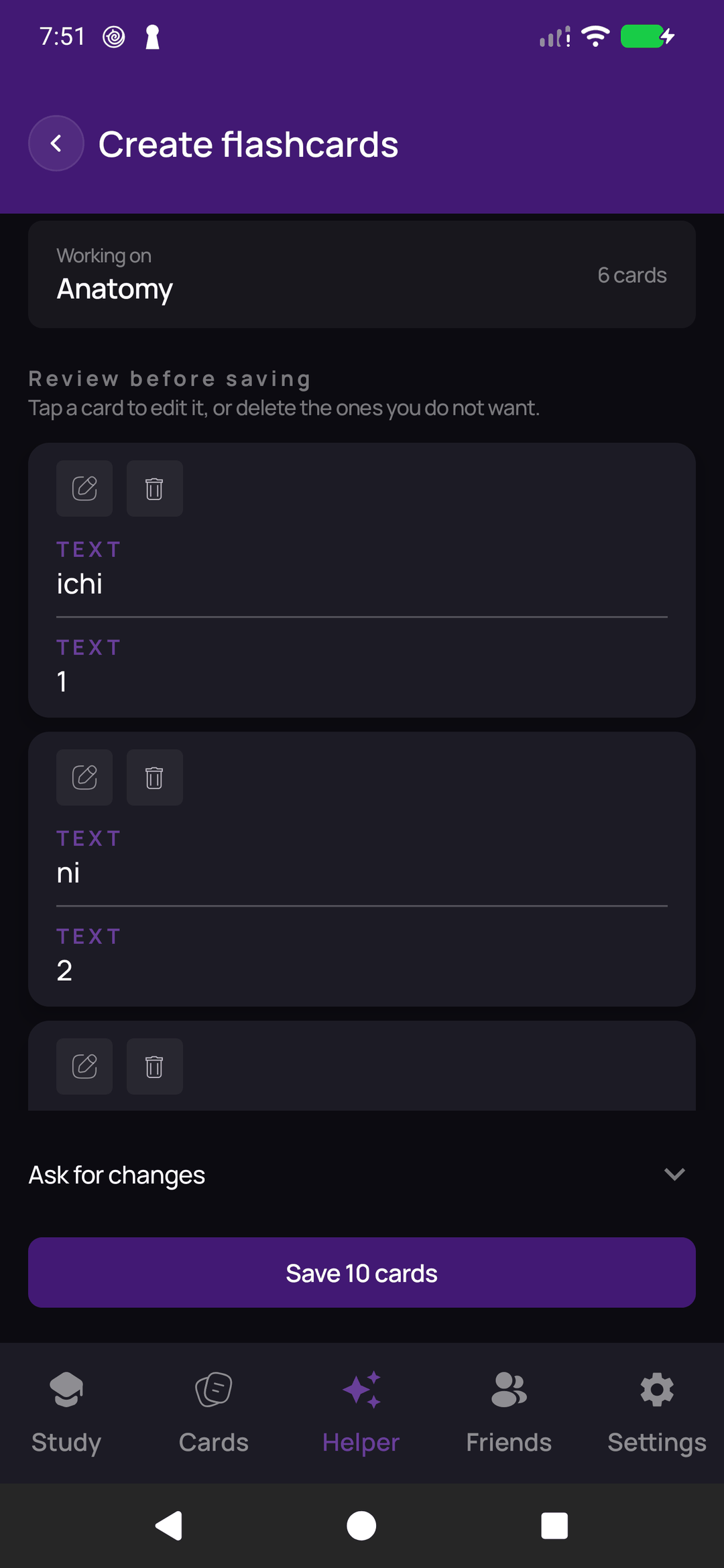
Generated cards land on a review screen, not in your deck. Keep the ones that are right, edit the ones that are close, drop the rest — or type a follow-up instruction ("keep the backs to one word", "front in kanji") and have the whole batch rewritten before you commit to any of it. Nothing is written to your deck until you say so.
3. Organise with nested decks
A deck can live inside another deck, as deep as you find useful. Put "Irregular Verbs" and "Food" under "Spanish" and the parent shows the total for everything beneath it, so one glance tells you the size of the subject rather than the size of one slice of it.
Moving a deck takes everything inside it along, and your study progress moves with it rather than being reset. Deleting one asks whether its contents should go too.
4. Choose how each card is studied
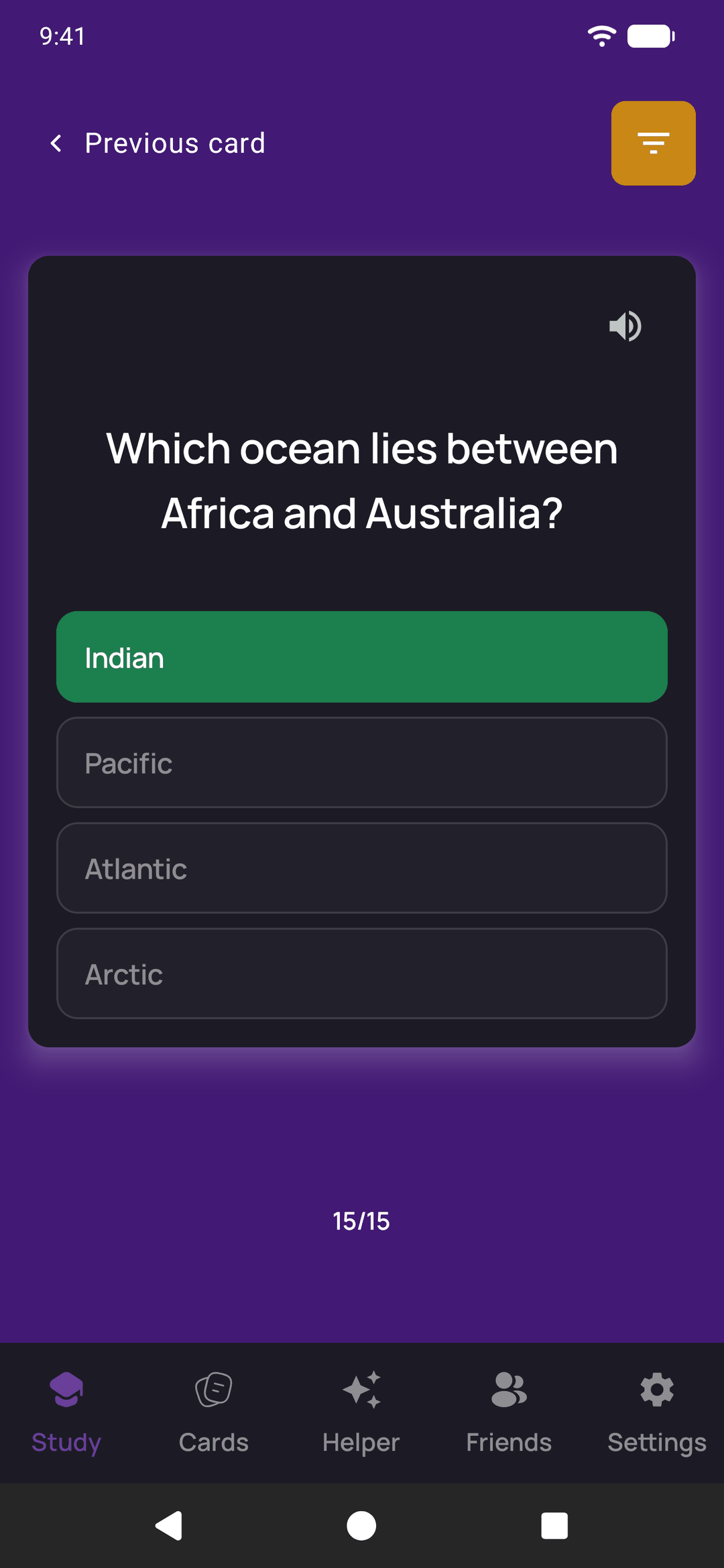
A card has a type, and the type decides how you answer it. There are five: Flip, where you turn the card over and grade yourself; Multiple choice, picking the right answer from up to four; Type the answer, where capitals, accents and extra spaces are forgiven; True / false, a statement answered in one tap; and Fill in the blank, a sentence with one word or phrase hidden. Leave a multiple-choice card's wrong answers empty and they are filled from other cards in the same deck when you study.
The Helper writes flip cards. Tap the type on any card in the editor to switch it to another one. The four types that mark themselves count a right answer as Good and a wrong one as Again in the daily review, so they are scheduled like everything else. Each type is described, with a screenshot, on the card types page.
5. Study only what is due
QuickMem schedules each card with a spaced-repetition algorithm in the SM-2 family. You grade a card Again, Hard, Good or Easy; a card you find easy comes back at a longer and longer interval, and one you fail comes back within the same session. The interval each button would schedule is printed on the button, so nothing about the schedule is hidden from you.
Today's queue is everything past its due date, plus a small ration of cards you have never seen — twenty a day across your whole library, so importing a 2,000-card deck does not turn tomorrow into a wall. When the queue is empty, the session ends. That is the point: a deck of 500 becomes a few minutes a day instead of an evening.
6. Bring what you already have
You do not have to start from an empty library. QuickMem opens an Anki .apkg file directly — decks, notes, note types and cloze cards, with images uploading in the background so the text is usable immediately. It also reads a PDF, a .txt or a .docx and hands the text to the Helper's import skill. Files are read on your phone; only the text goes anywhere. There is a walk-through in importing your Anki decks.
7. Read aloud, share, and study in your language
Cards can be read out by your phone's own voice, with the voice, speed and pitch set the way you like — free, and nothing leaves the device. Add a friend and you can share a deck with them, each keeping your own progress. The app itself is translated into 14 languages and follows whatever your phone is already set to; your own cards are left exactly as you wrote them.
What it costs
Everything above is free except the seven AI skills. Those come with ten AI-written cards free, counted across as many attempts as you like, and after that they need QuickMem Plus at $4.99 per month, billed and cancelled through Google Play or the App Store. Making cards by hand, spaced repetition, nested decks, Anki import, read aloud and sharing are free and stay free.